
Property Management & Operations
Rental Property Excel Templates for Landlords
by Platuni | 29 Jan, 2026 | 7 mins read
Platuni
29 January, 2026
7 mins read
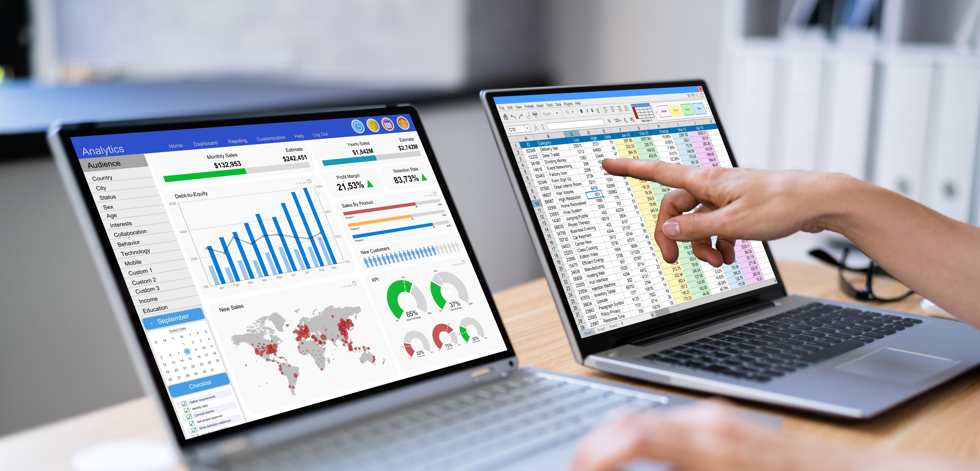
A rental property template Excel plays a critical role in understanding the true financial performance of rental properties. While income is easy to track, expenses often determine whether a property is profitable or not. Without accurate expense records, landlords risk making decisions based on incomplete data.
By systematically logging expenses in Excel, landlords can identify high-cost areas, forecast future spending, and improve overall financial planning. This level of visibility supports better budgeting and long-term property sustainability.
In this post, we’ll walk through what your expense spreadsheet should include, how to use it efficiently, and when it might make sense to move from manual spreadsheets to smarter digital tracking tools as your rental business grows.
Also Read: Common Landlord-Tenant Issues That Require an Attorney
What Is a Rental Property Excel Spreadsheet?

A rental property template Excel spreadsheet is a structured file designed to help landlords organize and manage rental property information in one place. It allows property owners to record essential data such as tenant details, rent payments, expenses, lease dates, and property notes using customizable Excel sheets. Because Excel is widely accessible and easy to modify, many landlords rely on a rental property Excel spreadsheet to maintain accurate records without investing in specialized software. Hence, by using a rental property template, landlords can tailor the spreadsheet to match their portfolio size and management style.
Also See: Is a Landlord Responsible for an Exterminator? Legal Breakdown
Benefits of Using a Rental Property Excel Template
Using a rental property template Excel offers several practical perks for landlords who want control and flexibility. Some of these advantages include:
- Simple and Cost-Effective: Excel templates are often free or low-cost, making them ideal for new or small-scale landlords.
- Customizable Layouts: Landlords can adjust columns, formulas, and sheets to fit specific property management needs.
- Accurate Rent Tracking: Helps track rent payments, late fees, and outstanding balances clearly.
- Expense Monitoring: Allows landlords to log repairs, utilities, and other property-related costs in one place.
- Improved Record Keeping: Creates a clear financial trail that is useful for budgeting, audits, and tax filing.
- Easy Access to Data: All rental information is stored in a single spreadsheet, reducing paperwork and confusion.
Also Read: What Are Landlords Responsible For? Legal Duties Explained
Pros and Cons of Using Excel Templates for Property Management
Typically, using a rental property template Excel is a common starting point for many landlords because it offers simplicity and flexibility. However, while Excel works well for basic property management tasks, it also comes with limitations, especially as your rental portfolio grows.
Pros of Using Excel Templates
- Cost-Effective: Most Excel templates are free or inexpensive, making them ideal for new or small-scale landlords.
- Highly Customizable: Landlords can modify columns, formulas, and layouts to suit specific property management needs.
- Easy Access and Control: All data is stored locally, giving landlords full control over records.
- Simple Rent and Expense Tracking: Excel handles basic rent payments, balances, and expense logs efficiently.
- Offline Availability: Works without internet access, which can be useful in some situations.
Cons of Using Excel Templates
- Manual Data Entry: Updating rent payments, balances, and expenses manually increases the risk of errors.
- Limited Automation: Excel lacks built-in reminders, alerts, and automated rent collection features.
- Scalability Issues: Managing multiple properties or tenants becomes time-consuming and complex.
- No Tenant Interaction Tools: Excel cannot handle tenant communication, maintenance requests, or online payments.
- Data Security Risks: Files can be accidentally deleted, corrupted, or accessed without proper protection.
Also Read: What Are Landlords Responsible For? Legal Duties Explained
How to Track Rent Payments and Balances Using Excel
Working with a rental property template Excel is one of the simplest and most cost-effective ways for landlords to manage rent payments and balances. With the right structure, Excel can function like a basic rent management system, helping you track income, monitor overdue payments, calculate balances, and maintain clean financial records without complex software. For small landlords and beginners, it provides clarity, control, and transparency over rental cash flow. Here's how to set up Excell to track rent:
- Create a Rent Tracking Sheet
- Set up columns for: This should contain Tenant Name, Property Address, Rent Due, Due Date, Amount Paid, Payment Date, Late Fees, Balance, and Payment Status.
- Enter Monthly Rent Data: Input each tenant’s rent amount and due date to establish a consistent tracking structure.
- Use Simple Formulas for Balances
- Apply formulas like: Balance = Rent Due - Amount Paid. This allows Excel to auto-calculate outstanding balances.
- Track Partial Payments: Record multiple payments under the same tenant row or use separate rows per transaction to maintain accurate history.
- Add Payment Status Automation: Use logic formulas such as: =IF(Balance=0,"Paid","Pending")
- to instantly see who has cleared their rent.
- Highlight Late Payments: Apply conditional formatting to flag overdue balances in red for quick visual identification.
- Create Monthly Summaries: Use basic SUM formulas to calculate total rent collected, total outstanding balances, and monthly income.
- Maintain Historical Records: Duplicate the sheet monthly to create a clean rent history archive for reporting, audits, and dispute resolution.
Also See: Tenant Tracker Tools: How Landlords Monitor Payments and Issues
Free Rental Property Excel Templates for Landlords
You can access a good free rental property excel template for landlord using the link below. Duplicate the copy and use for your at your discretion.
Download this free template here
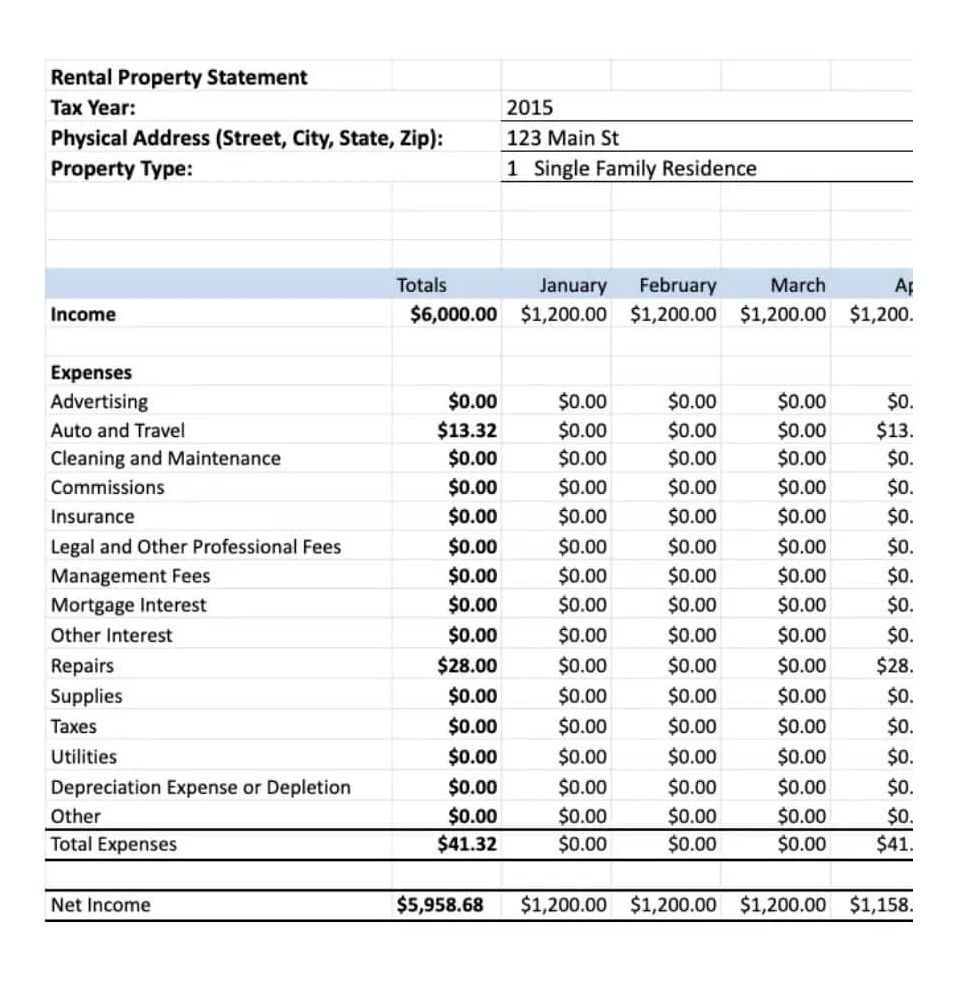
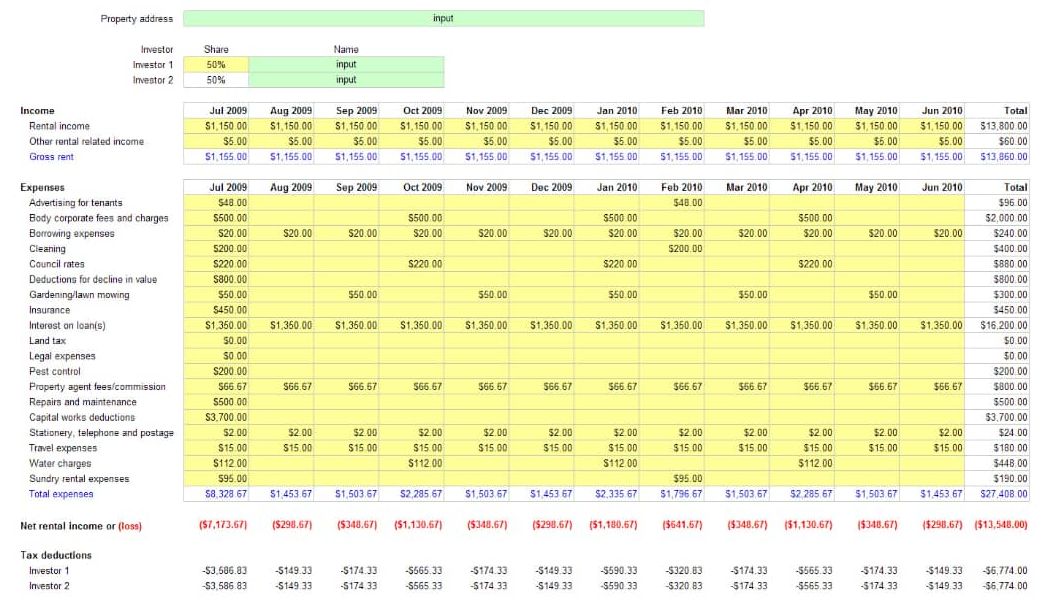
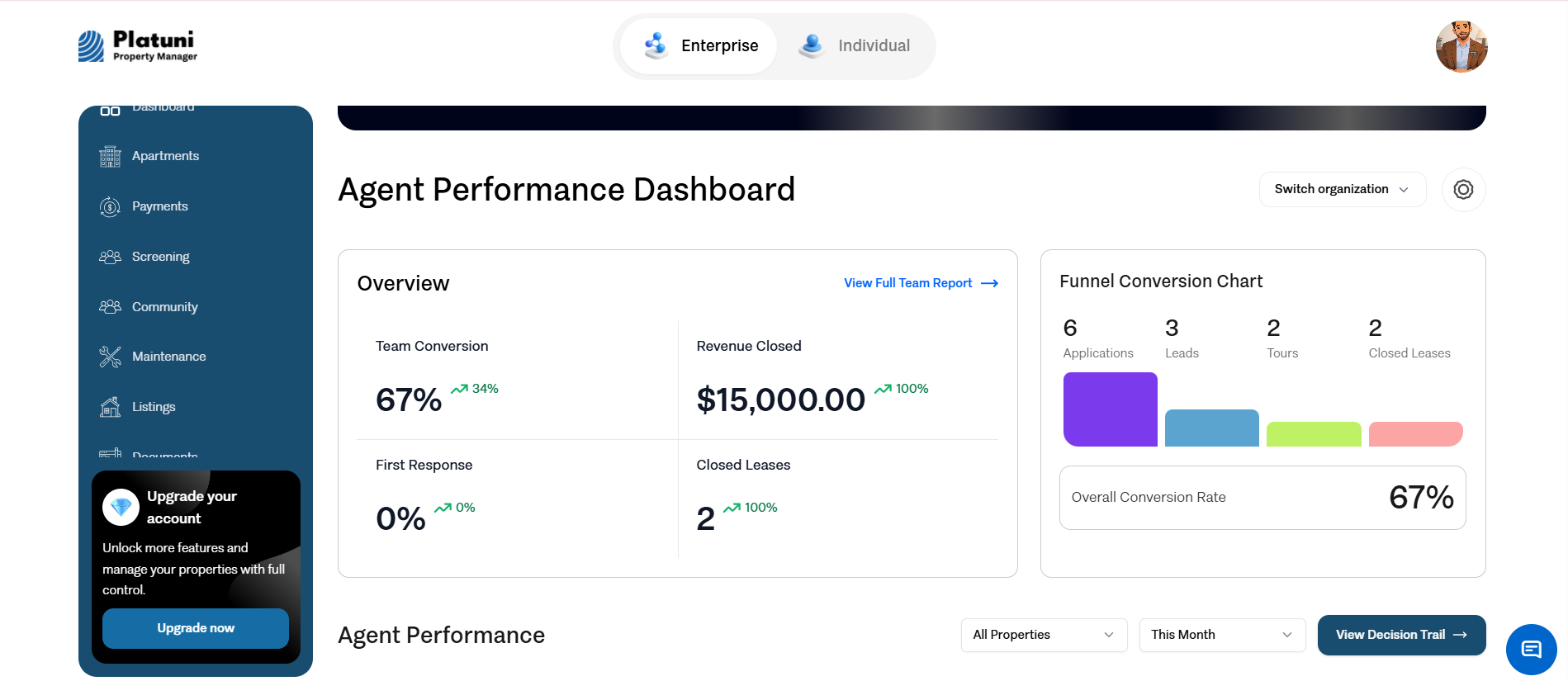
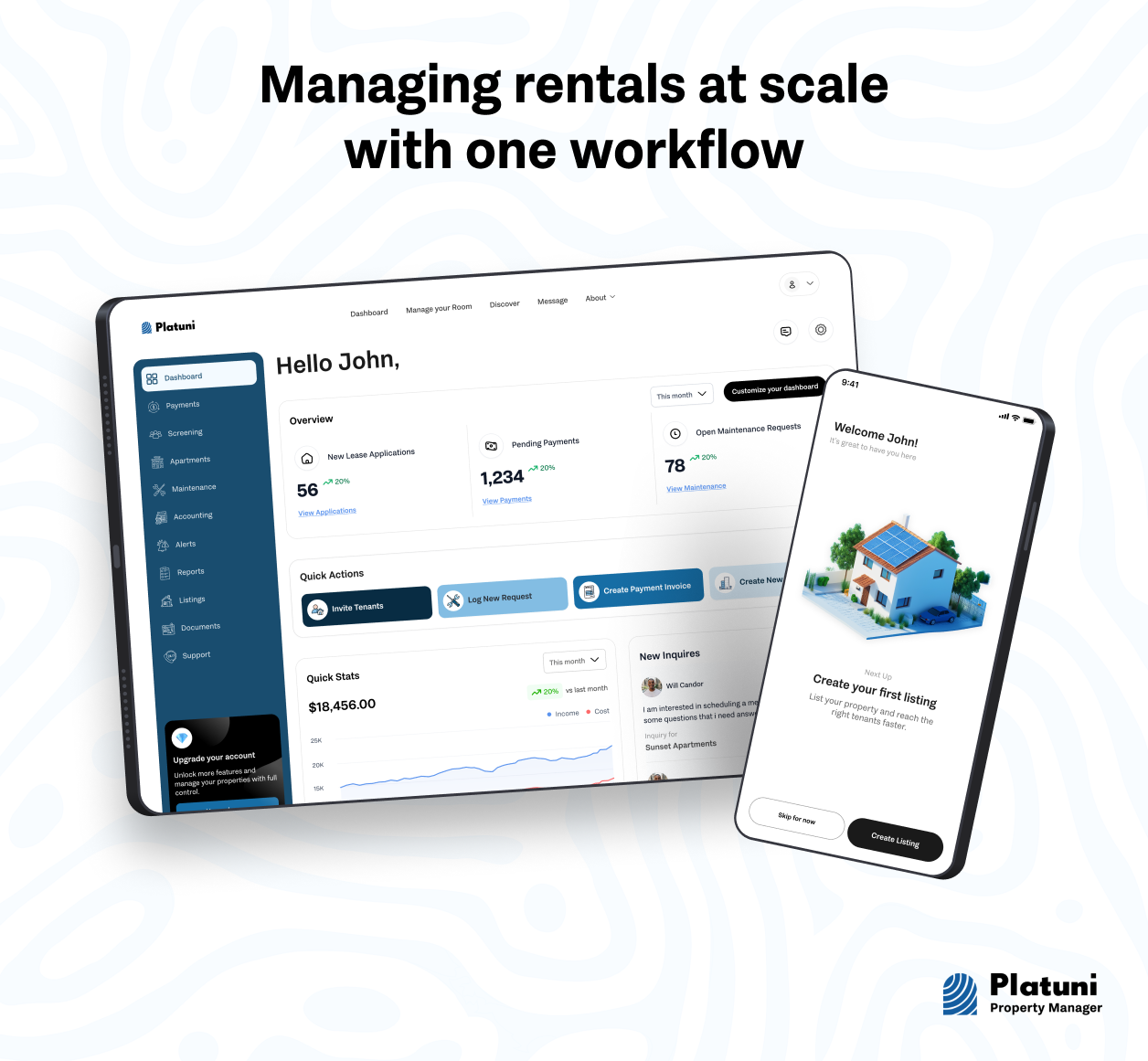
You can also download the Platuni Property Manager app and manage all our rental properties in an automated digital sheet.
Try Downloading the Platuni Property Manager App Today!
When to Upgrade From Excel Templates to Digital Management Tools
While a rental property template Excel works well for small portfolios, there comes a point when digital property management tools become more efficient. If you find yourself managing multiple properties, chasing rent payments, or spending too much time updating spreadsheets, it may be time to upgrade. Moreover, digital platforms automate rent tracking, send payment reminders, and generate real-time reports, reducing manual work and improving accuracy.
Solutions like Platuni offer a modern alternative by centralizing rent collection, tenant records, and financial tracking in one intuitive system. Unlike Excel templates, Platuni provides automation, better visibility, and scalability, making it easier to manage growth without sacrificing organization. For landlords looking to move beyond spreadsheets while maintaining control, upgrading from Excel to Platuni is a smart and natural next step.
Also See: Landlord Jobs: Roles, Income, and Opportunities
What Should I Include in My Rental Property Expense Spreadsheet?
A well-structured rental property expense spreadsheet helps landlords track spending accurately, control costs, and understand real profitability. Whether you’re using a rental property template Excel or building one from scratch, the key is to capture all expenses clearly and consistently. Essential items to include in your rental property expense spreadsheet includes:
- Date of Expense: When the cost was incurred or paid.
- Property Name or Address: Useful if you manage multiple rentals.
- Unit Number: Helps allocate expenses correctly per unit.
- Expense Category: Repairs, maintenance, utilities, insurance, taxes, marketing, management fees, etc.
- Expense Description: Brief explanation of what the cost was for.
- Vendor or Service Provider: Who you paid (plumber, electrician, cleaner).
- Amount Paid: The exact cost of the expense.
- Payment Method: Cash, bank transfer, card, or check.
- Recurring or One-Time Expense: Helps with budgeting and forecasting.
- Tax-Deductible Status: Useful for tax preparation and compliance.
- Receipt or Invoice Reference: File name or reference number for documentation.
- Notes: Any additional details for clarity.
Also Read: Top Landlord Tips for Managing Rentals Efficiently
Frequently Asked Questions About Rental Property Excel Templates for Landlords
Why should landlords track rental property expenses?
Tracking expenses helps landlords understand true profitability, control costs, prepare for taxes, and make informed financial decisions.
How often should I update my rental property expense spreadsheet?
It’s best to update your spreadsheet as expenses occur or at least weekly to avoid missing costs and ensure accurate records.
Can I use Excel to manage expenses for multiple rental properties?
Yes. A rental property template Excel can manage multiple properties using separate sheets or property columns. However, it requires consistent manual updates.
Are rental property expenses tax-deductible?
Many rental expenses are tax-deductible, including repairs, insurance, management fees, and utilities, but landlords should confirm deductions with a tax professional.
What’s the difference between a rent ledger and an expense spreadsheet?
A rent ledger tracks income from tenants, while an expense spreadsheet records costs related to operating and maintaining rental properties.
How do I organize receipts for rental property expenses?
You can label and store digital receipts using reference numbers in your spreadsheet or keep physical copies filed by date and category.
Is Excel enough for long-term rental expense tracking?
Excel works well for small portfolios, but as expenses and properties grow, automation and reporting become limited. That is why you need tools like Platuni to make your work easier and seamless.
When should I switch from Excel to a digital property management tool?
If manual tracking becomes time-consuming or error-prone, upgrading to platforms like Platuni can automate expense tracking and generate real-time reports.
Can Platuni replace rental property expense spreadsheets?
Yes. Platuni centralizes expense tracking, rent collection, and reporting in one system, eliminating manual spreadsheets while improving accuracy and visibility.
Stay Informed
Subscribe to the Platuni B2B Newsletter to receive industry insights,
new feature announcements, and exclusive growth reports
Related Posts

SEPTEMBER 22, 2026
How to Build a Rental Maintenance Workflow From Request to Completion
Defines what should happen after a maintenance request comes in, logging, prioritizing, assigning, verifying, and documenting the repair through to completion.
Learn more
SEPTEMBER 22, 2026
QuickBooks vs Property Management Software for Rental Properties
Explains why QuickBooks and property management software solve different problems, and when a landlord needs one, the other, or both.
Learn more